- DATE:
- AUTHOR:
- Your Cotality Team
Dark mode, a new guide, and a Tru-Pay refunds dashboard
Our October 25, 2026 release makes DigitalTax Portal easier to use, with new ways to find help, personalized experiences, and more visibility into your tax activity.
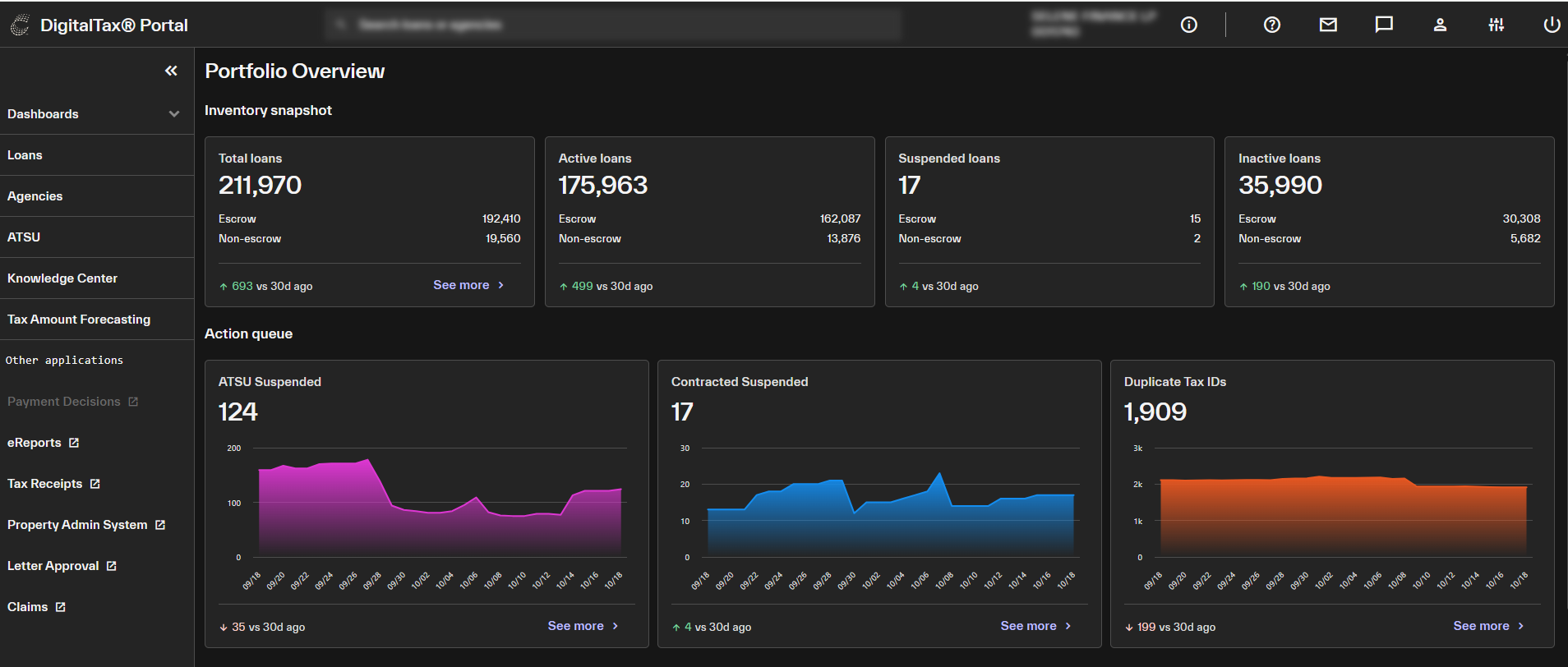
By popular request, dark mode is here!
You can now switch DigitalTax Portal to dark mode, designed to be a little easier on the eyes.
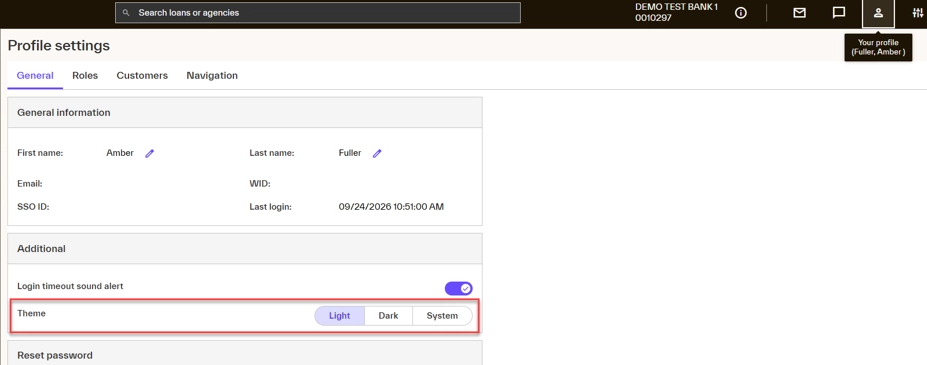
To turn it on, go to Profile Settings and change your theme to Dark.
Get DigitalTax Portal help and answers faster: New System Guide
The new System Guide gives you a searchable library of how-tos, videos, and other helpful resources. It can be positioned where it works best for you, making it easy to follow guidance while continuing your work.
How to access it: Click the question mark icon in the top navigation bar.
New Tru-Pay Refund Dashboard
Tru-Pay uses the freshest tax collector data to identify and reduce potential refunds before tax payments are released, which helps increase your payment accuracy. This dashboard will show this activity.
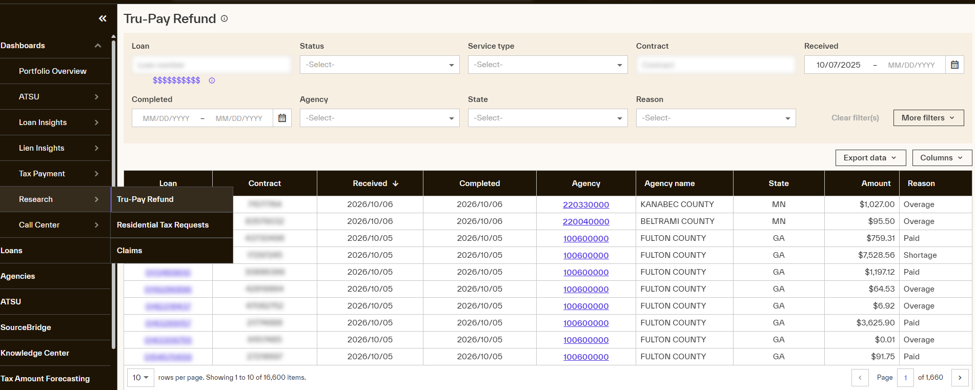
*Only available in areas with participating Tru-Pay collecting agencies.
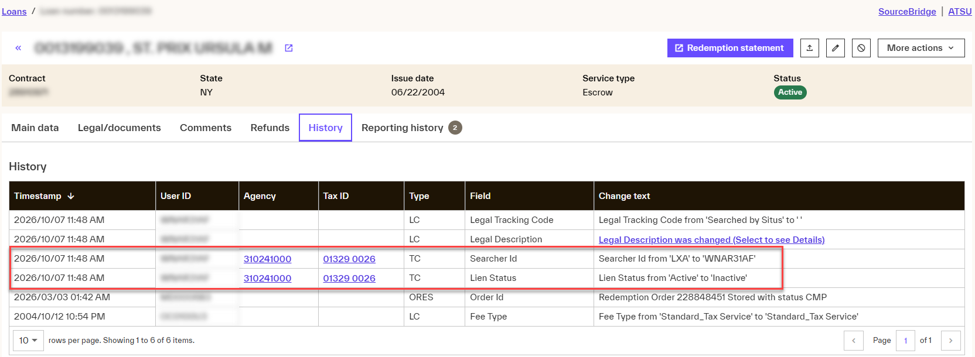
Check your tax line's audit history
When a tax line is edited within a loan, the history now displays the associated Agency and Tax ID along with the change.
See research task details inside the Outbound Notifications Dashboard
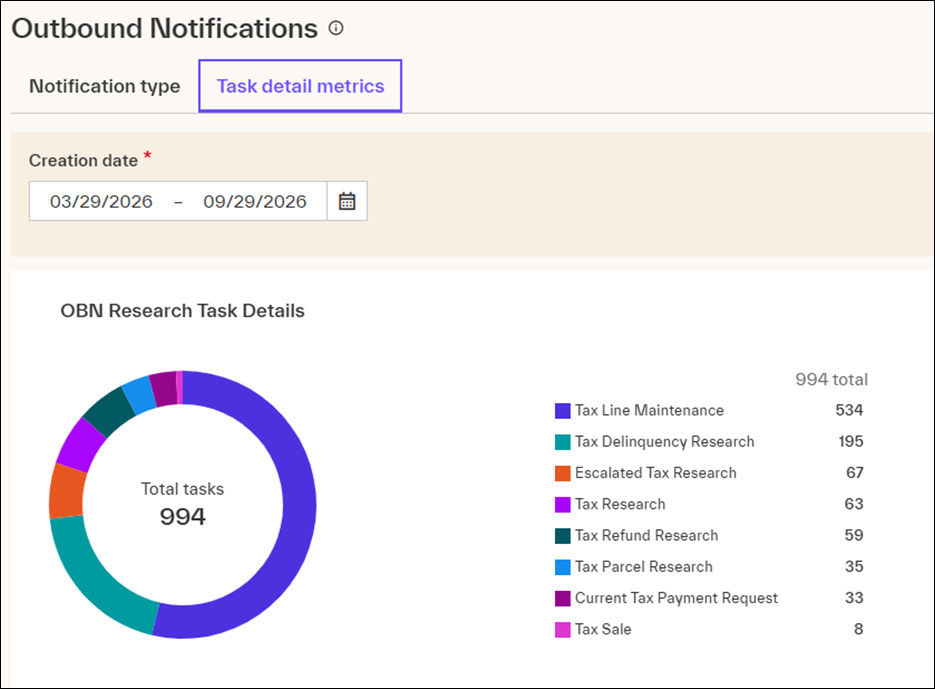
The Outbound Notifications dashboard has been improved with a new Task Metrics area, giving you a view of the Research Tasks that triggered an outbound borrower notification (SMS text or phone call) during a selected period.
From here, you can see how tasks are distributed across notification activity and identify trends within your portfolio.
*For Call Center clients with Outbound Notifications enabled.
Thank you for your feedback and feature requests. Your input helps us continue improving DigitalTax Portal. If you have questions, please contact your Client Account Manager.